How to stop Steam loading with Windows?

Collapse
X
 
  • Time
  • Show
Clear All
new posts
  • Paddy
    Super MURCer
    • Mar 2000
    • 6067

    #1

    How to stop Steam loading with Windows?

    Where does steam install itself?
    It's not a service... I can't ifnd it in the registry....

    How can i get it to stop loading with windows?
    The Welsh support two teams when it comes to rugby. Wales of course, and anyone else playing England
  • Technoid
    Super MURCer
    • Sep 1999
    • 7645

    #2
    Steam as in Valve's online gaming program?

    On my computer :

    HKEY_CURRENT_USER\Software\Microsoft\Windows\Curre ntVersion\Run
    If there's artificial intelligence, there's bound to be some artificial stupidity.

    Jeremy Clarkson "806 brake horsepower..and that on that limp wrist faerie liquid the Americans call petrol, if you run it on the more explosive jungle juice we have in Europe you'd be getting 850 brake horsepower..."

    Comment

    • Technoid
      Super MURCer
      • Sep 1999
      • 7645

      #3
      Otherwise there is an options in settings that you can untick to get it to not load at start
      If there's artificial intelligence, there's bound to be some artificial stupidity.

      Jeremy Clarkson "806 brake horsepower..and that on that limp wrist faerie liquid the Americans call petrol, if you run it on the more explosive jungle juice we have in Europe you'd be getting 850 brake horsepower..."

      Comment

      • Lucid
        MURCer
        • Sep 1999
        • 190

        #4
        The option is on the Interface tab under Settings.
        There's no place like 127.0.0.1

        Comment

        • Paddy
          Super MURCer
          • Mar 2000
          • 6067

          #5
          Cheers! (although I couldn't find it in the registry)
          The Welsh support two teams when it comes to rugby. Wales of course, and anyone else playing England

          Comment

          • omegaRED
            MURCer
            • Feb 2001
            • 915

            #6
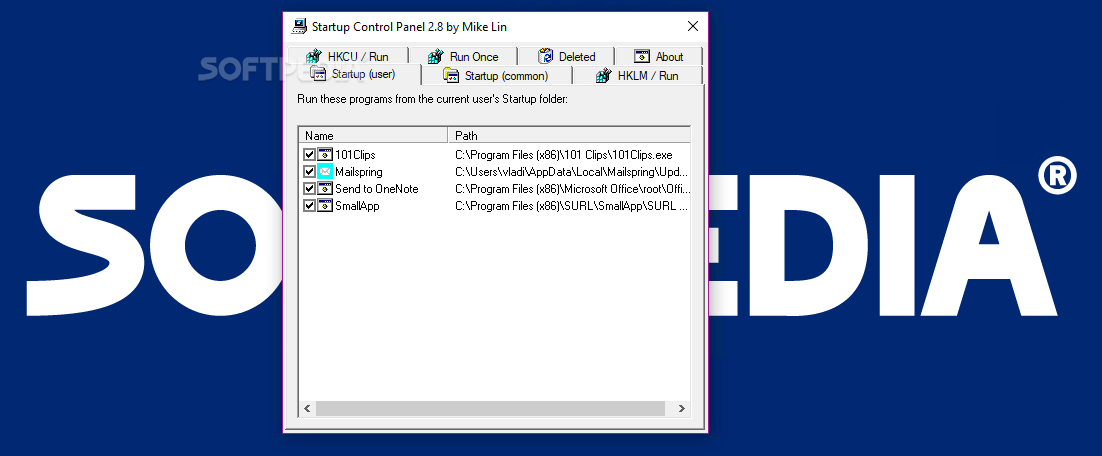
            Well, there`s a little program i install on every computer i "fix", it`s called Startup CPL. It`s a Control Panel Applet, and lists all the thing that start on you PC, no need to dig thru the registry base. It doesnt list services, but hey, IMO there`s no need for that.

            Download Startup CPL 2.8 - Easily manage applications that automatically run at startup either to make your operating system load faster or prevent malicious software from activating using this comprehensive utility
            Seth, are you ok? I`m peachy Kate. The world is my oyster. - Seth Gecko

            Comment

            • Wombat
              Super MURCer
              • Aug 2000
              • 9498

              #7
              What does it do that <I>msconfig</I> doesn't?
              Gigabyte P35-DS3L with a Q6600, 2GB Kingston HyperX (after *3* bad pairs of Crucial Ballistix 1066), Galaxy 8800GT 512MB, SB X-Fi, some drives, and a Dell 2005fpw. Running WinXP.

              Comment

              • Jammrock
                The Berserker
                • Aug 1999
                • 8661

                #8
                TweakUI's startup list is a little easier to use than msconfig, though they both work just fine.

                Jammrock
                “Inside every sane person there’s a madman struggling to get out”
                –The Light Fantastic, Terry Pratchett

                Comment

                • Dilitante1
                  Administrator
                  • Aug 1999
                  • 1829

                  #9
                  I use Regcleaner as It shows hidden startup items that msconfig wont
                  Better to let one think you are a fool, than speak and prove it


                  Comment

                  • Marshmallowman
                    Super MURCer
                    • Sep 1999
                    • 3416

                    #10
                    As good as they are EasyCleaner is even better

                    Comment

                    • Paddy
                      Super MURCer
                      • Mar 2000
                      • 6067

                      #11
                      cheers guys.. I use regedit, the startup folder and tweakui
                      The Welsh support two teams when it comes to rugby. Wales of course, and anyone else playing England

                      Comment

                      • Mehen
                        Super Hamburglar
                        • May 2002
                        • 3395

                        #12
                        aw, cmon, don't you love to have "Updating Steam" for a couple minutes everytime you turn on your computer?
                        Q9450 + TRUE, G.Skill 2x2GB DDR2, GTX 560, ASUS X48, 1TB WD Black, Windows 7 64-bit, LG M2762D-PM 27" + 17" LG 1752TX, Corsair HX620, Antec P182, Logitech G5 (Blue)
                        Laptop: MSI Wind - Black

                        Comment

                        • leech
                          Super MURCer
                          • Oct 1999
                          • 1918

                          #13
                          I just removed half-life 2 and steam and Counter Strike source as soon as I beat Half-Life 2. No more lousy STEAM! Well, I tried counter strike a few times, but I just don't like it as much as Raven Shield.

                          Leech
                          Wah! Wah!

                          In a perfect world... spammers would get caught, go to jail, and share a cell with many men who have enlarged their penises, taken Viagra and are looking for a new relationship.

                          Comment

                          • Paddy
                            Super MURCer
                            • Mar 2000
                            • 6067

                            #14
                            CS:S rules
                            The Welsh support two teams when it comes to rugby. Wales of course, and anyone else playing England

                            Comment

                            Working...