Announcement

Collapse
No announcement yet.

new mainboards...

Collapse
X
 
  • Filter
  • Time
  • Show
Clear All
new posts

  • #31
    Note that 5070 Ti has nearly as many cores as 5080 (9000 vs 10750), while 5070 has about 6150. 5070 Ti is same die as 5080, while 5070 non-Ti is it's own die. RTX 4070 Super has more 7168 but 5070 should in theory be cheaper. In practice cards in EU are now selling for double MSRP.

    The 5000 series to 4000 series is like G550 to G400. nVidia even came up with their own version of HeadCasting(TM). I also remember Matrox disabled some G400 features in G550.
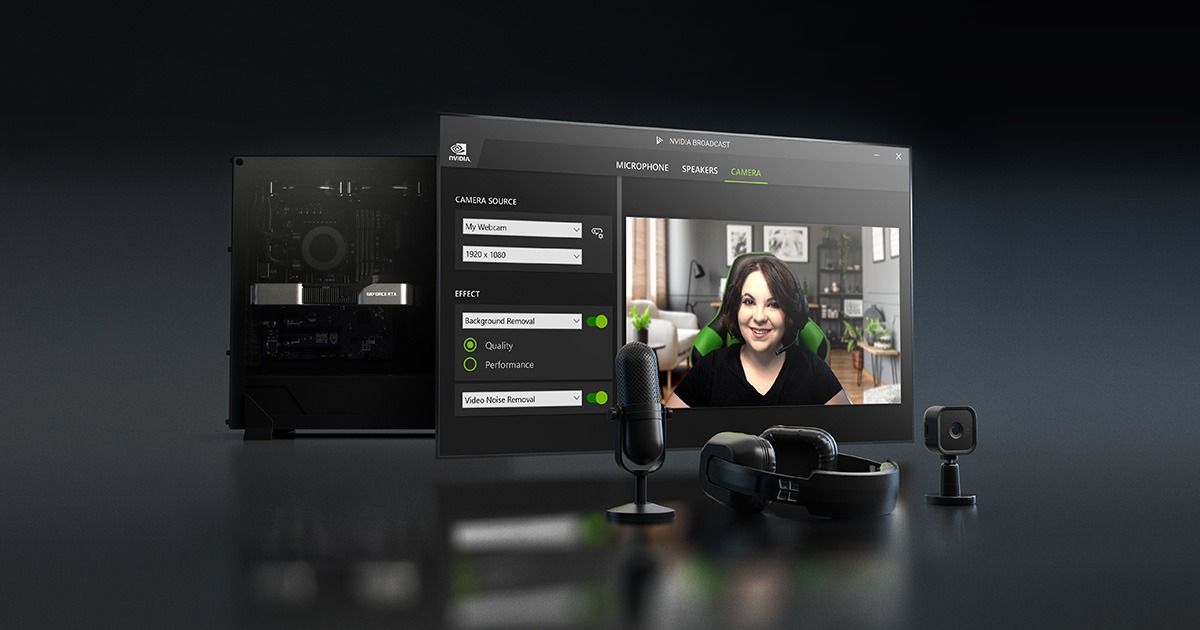
    Take your live streams, voice, and video chats to the next level with the NVIDIA Broadcast App.

    NVIDIA today announced foundation models running locally on NVIDIA RTX™ AI PCs that supercharge digital humans, content creation, productivity and development.


    Since 4000 and 5000 are built on same process, the performance boost in gaming is minimal.
    In AI and video decoding/encoding there is a substantial performance boost due to better AI cores and new video encoders.
    Last edited by UtwigMU; 24 February 2025, 06:35.

    Comment


    • #32
      More interesting news: https://arstechnica.com/gadgets/2025...0-ti-and-1060/
      So the 10x0 series may disappear soon from the Game Ready drivers... :-/
      pixar
      Dream as if you'll live forever. Live as if you'll die tomorrow. (James Dean)

      Comment


      • #33
        What is the form factor - which case do you have?

        Comment


        • #34
          Unless you have some life-need software that is Windows only, these days Linux feels much more like PC of DOS-NT4 days where you can configure things, they stay the same, no rogue processes in the background and functionality doesn't reduce month to month. Rather it improves month to month. I gave my mom a Thinkpad with Linux/KDE and she can do everything she did on Windows and calls me for support about as much as before when she was using only Windows.

          So your 1070 will continue to work in Linux and the system will be much more snappy and responsive.

          Steam+Proton gaming is really seamless these days, Linux has twice the market share of Mac on Steam. Nobara outperforms Windows in some Windows games. And if you go two cards, you can pass one to Windows VM.

          If you can fit a small SSD you can try with dual boot without touching your Windows install.
          Last edited by UtwigMU; 24 February 2025, 07:48.

          Comment


          • #35
            So let's break things down a bit:
            current PC
            - videocard
            - tuner/capture card
            - PCI SCSI card for scanner
            - maybe second network

            older PC:
            - firewire card
            - SATA RAIC card
            - SCSI card

            Want data storage solution.

            what I would do is turn one PC - probably the older one in legacy media solution. I actually am thinking of building similar machine for myself.
            Find a board regardless of generation but able to run Win11 is a plus that can support:
            - has 2nd network onboard
            - PCI SCSI card
            - Firewire PCIe card
            - has enough onboard SATA/SAS to accomodate whatever is on SCSI card in older PC

            Reuse current older PC case or consider small full ATX case such as fractal design define Compact
            Find a board with 2 LAN slots, 1 PCI slot, 1 PCIe slot, 1x16 SLOT with 4-8 SATA/SAS ports and one M2 slot, could be a couple generations older
            In this case I would consider Supermicro or Asrock Rack, there is also DFI Industrial or Tyan, ask Chat GPT to list you the boards that have the above features
            If you need a discrete GPU consider a single slot solution such as Quadro or Radeon Pro or Matrox LUMA A380 (sngle slot Intel), could be older generation.
            Depending on display outputs, cooling and external power requirements.
            Best Gaming GPU with SLOT power is RTX 3050 and best passive gaming GPU is Palit KalmX GeForce RTX 3050
            If you don't need discrete GPU, get AMD or Intel CPU with integrated graphics. Graphics in both is decent, currently Intel is good, especially if you need to accelerate or transcode video.
            If 1070 does what you need and doesn't take too much space, use that.
            Consider consolidating SCSI for scanner into single card or find Firewire/USB scanner. There is also an option for external PCIe SCSI card enclosure for scanner. This could potentially be powered from USB/Thunerbolt and would take less space compared to external 300W+ GPU. You can leave it unplugged as you probably don't scan every day.

            Or ditch scanner and get Brother/Kyocera MFP if you don't need film scanning or super high accuracy.

            You will probably want Windows 11 or Windows 10 (if your older cards/scanner software don't work in 11) on here

            This leaves your main PC with 240mm videocard and capture/tuner card and 5.1 audio.

            Consider a compact case of similar size and aesthetics that can accommodate longer video cards but this is not a priority now. Local language models are interesting and having a lot of big GPUs is tempting.

            Find all current DDR 5 boards with decent onboard 5.1 audio. If some of them have dual LAN it's a plus. Or go with dual LAN boards and audio card - this gives you more flexibility in the future. Or if none of good boards have Intel LAN go with 5.1 audio board and get Intel/Broacom NIC. I ebayed dual 1G port Broadcom server PCIe x1 NIC because I wanted more than 1 LAN port on my Rog Strix B550-F Gaming Wi-Fi (AM4, Intel 2.5G LAN).

            If you don't want water cooling the MSI Ventus 4070 Ti Super is the best 240mm card, Intel B580 is an alternative. 5070 Ti boards will be longer, shortest is MSI INSPIRE 3X at 288mm. 5070 non-Ti will be slower. 50x0 also won't support older games.
            Radeon 9070 will be anounced in 4 days, so wait for the announcement. If it's not much cheaper/better than 4070 Ti, get the 240mm Ventus.

            Get 2 M2 slots and consolidate other drives in 1-2 of 2.5" large SSD drives. 4TB SSDs are like 200 EUR now and provided you have storage/backup you probably don't need more than 1-3 drives.
            Consider dual booting Linux and Windows on separate drives.

            What this doesn't solve is the storage solution. Desktop PCs are not good data storage devices as you reboot, update, thing can corrupt, you don't usually have ECC. You visit internet, Windows Defender wipes cracks for your 20 year old games. You want dedicated storage solution.

            Find a space for it in your apartment and think about number of drives. 2x 20TB drives is a lot and can be very small and quiet.

            Here cheapest option is Synology or QNAP with 2 bays at 200-300 EUR

            You can also build True NAS Core (Debian based) or Unraid small cube PC for 300-500 or more EUR. Proxmox is ZFS native and basically Debian, so you can also host samba shares directly on Proxmox.

            Since true-nas virtualization interface is clunky I decided to visualize TrueNAS in ProxMox and passthrough cheap LSI SAS controller flashed in IT mode. Massive advantage of TrueNAS is ZFS with scrubbing, resilvering and copy on write. You need 16-32GB to run TrueNAS, if you want other VMs buy board with room for enough memory. If you want transcoding or Jellyfin, get recent Intel CPU. Otherwise buy older used Supermicro or get cheap CPU that supports ECC on Supermicro or Asrock rack such as Pentium G. Reason for server board: IPMI and ECC support. ZFS assumes RAM is good so spend a bit more on ECC.
            If you use quiet fans like Noctua and quiet Noctua cooler like U12S on 65-100W CPU this thing can be near silent.

            Consider cube case like Jonsbo, Supermicro 4-bay hotswap mini tower, Fractal Define Compact (non-c with 6 3.5 drives and 2x 5.25 slots), Fractal Core or Chieftec Cube. You can also get U.2 or U.3 cage for hot-swap enterprise PCIe x4 SSDs that takes 1-2 5.25" bays.

            If you have a bit of budget and don't need that much HDD space, find ITX case with 2.5" drives. You can get almost unworn enterprise SSDs cheap.

            Ebaying used server is an option but old server with lots of 3.5" drives will be big, loud and power hungry.

            If you need a lot of storage space, getting 2-U server case with 12 hotswap 3.5, swapping fans for quiet ones and wallmounting it vertically in storage closet or in corner between wall and wardrobe is an option.

            Boards with 10G network are usually 200 EUR more expensive so if you have room for 10G nic besides SAS card (if 8 onboard SATA, SAS is not needed) it's cheaper to ebay server 10G NIC and get 1G LAN board.


            I would start the project by:
            - upgrade videocard in new PC as 4070 Ti Super cards are being sold out between now and summer. Ebaying used card is risky as you don't know if it has been fixed or abused.
            - buy older/used/cheap motherboard for old PC that can accommodate all legacy cards. If current board in old PC can do it keep it.
            - move all cards except tuner and videocard from new PC to old PC
            - build storage solution
            - move all data from drives in your PCs there and implement 3-2-1 backup. Hetzner storage box is dirt cheap.
            - consolidate all drives in both old and new PC to 1-3 SSDs, remove drive cage from new PC
            - buy new motherboard / CPU / RAM for new PC
            Last edited by UtwigMU; 24 February 2025, 12:08.

            Comment


            • #36
              I have the plan more or less worked out, just some details on the videocard and requirements of the mainboard; but I will postpone the upgrade for now anyway. Either way, may plan is:

              Upgrade HTPC with new ATX board, new videocard and keep the video capture card in it (PCIe). The case is an OrigenAE S16t, which fits a full ATX, normal PSU and 5x 3.5" HDD. The videocard length is limited to 240mm, but by removing a 3 HDD drivecage it should support longer cards (I have to check the position and height of the feet of the drive-cage - they are not removable and may still be blocking for the videocard). Most new mainboards have a couple of M.2 slots, and even without the drive cage I could fit 2x 3.5" hdds. Only potential issue is cooling: 1x 92mm intake and 2x 80mm exhaust. On this one I will want to run Windows.

              The current Asus Z97 mainboard, which has 1 M.2 slot, 6 SATA ports, hosts the SCSI card for the scanner would be moved to the tower that holds my Dual Xeon (still haven't gotten rid of that one). That is a LianLi PC70, with ample hdd space and even a hotswap backplane that supports 4x 3.5". I was thinking of changing the case for something smaller, but that would not be urgent. It would be repurposed as a server/work computer, potentially using ProxMox. The mainboard should support the necessary PCIe pass-throughs, so I could consider a virtual windows for work - it may however not work for the PCI SCSI controller. The onboard video of the mainboard would still be for ProxMox. And then there could be a storage server on ProxMox. However, given that Windows is also important on that machine, I may decide to forego ProxMox and run it all on Windows - better the devil you know.

              I don't need this full-on storage server - I mainly need a central repository for files, with duplication and if possible automated backup, so I feel a real NAS is somewhat overkill - there is really no point in looking at 10GB network given my storage use, and a NAS with just two disks (mirrored) is rather small. And I will admit I'm worried about data access if the NAS fails. My brother had the hell of time finding the same mainboard as his NAS when the mainboard died after a few years and he could no longer anything on the hardware raid 5.

              The new hardware needed would be very limited: only the parts to upgrade the htpc.
              My main problem is time.... All these changes will require sufficient time to implement, but we are so overwhelmed with work that that is not happening. I had fun looking for a system and planning the upgrade, I love doing that and it bothers me a bit that I don't need to upgrade more frequently - it is just fun. However, in our current work/life balance I don't see it happening. I've been meaning to reinstall Windows on the HTPC after a quick a dirty fix a couple of years ago, but I don't even find time for that. The reason to postpone everything now is bigger than that, as we started talking about some bigger changes (work, place of living, ...) as a result of which we may not have a need for e.g. the HTPC for the foreseeable future. So I'll refrain from upgrading now.
              pixar
              Dream as if you'll live forever. Live as if you'll die tomorrow. (James Dean)

              Comment


              • #37
                I also love researching once my stuff is couple of years old.

                My upgrade plan is: max out my current board. Already upgraded to 128GB DDR4 and ordered Ryzen 9 5950X for 280+ VAT (top 16c AM4 CPU). I will also swap fractal case fans for Noctua.
                For new cards I need bigger PSU and my Corsair RM750x does not have 12 HPWR ATX 3.1 connector. So I will probably buy Seasonic Vertex GX 1200W next month. Longer PSUs don't fit in Fractal define 7 compact.
                I'll upgrade videocard sometime until summer since I really would like to start creating and editing video but 12G 3060 Ti is not bad. Work has saddled me with 49" ultrawide monitor so 3060 Ti won't cut for gaming on that.

                What I also want is another 2x20TB NAS - one at my parents one at my home so I can do ZFS replication.

                Upgrade will leave me with 48GB RAM and 5800X and I also have my old ESXI/TrueNAS box with Sandy Bridge Xeon and 32GB ECC. I also have 3 Thinkpads in active use.

                Provided Synology or other proprietary NAS uses BTRFs or ext4 you can just remove drive and mount on Linux. Synology uses mdraid and ext4 on low power models and btrfs on mdraid on more powerful CPU models. You can also install TrueNAS on some proprietary NAS solutions.

                Hence 3-2-1 backup. Synology have USB ports so you can backup to external USB drives offsite. I backup my NAS every couple of months or so and take disks off site. Also NASes support rsync.

                With ZFS since it's copy on write snapshot is cheap (no space required) and instant. Then you can send ZFS snapshot over to local or remote SSH ZFS filesystem target. If you have 100Mb or so upload it's enough. Since it's sending snapshot it's much faster than rsync of lots of small files.

                Due to noise and vibration unless you need 10TB for temporary files/projects in your PC at this point I would remove all spinning rust from desktops. Having small 4TB drives is pointless at the current price of SSDs. Having large drives for storing photos and important data on your desktop is not reliable since attack surface is bigger, there is usually no ECC and there are more options for human errors.

                Hetzner is 4 EUR/month for 1TB space and 25 EUR for 10TB space. (FTP, scp, rsync, webdaw, samba).

                In your case I would turn the Lian-Li in proxmox+storage with dedicated low power (<65W TDP CPU) server board with IPMI and ECC. Then if you need 2nd Windows workstation either get a laptop or tiny PC or if you need multiple cards compact DIY.
                Last edited by UtwigMU; 24 February 2025, 13:10.

                Comment


                • #38
                  I know in my case the best would be to almost start from scratch... I have an old Atom, which currently runs Windows 10 but is quite slow and noisy, but that is due to some issue where CPU usage goes to 100% (even when idle), task manager shows 100% cpu usage in system interrupts, but I cannot diagnose it - after about 30 minutes those interrupts stop and then the system is ok to use. For a long time I used it as a client to connect to my work computer (vpn + remote desktop), for which is works fine. Then there is my dual Xeon which sits unused. The HTPC is over 10 years old and that is my most recent desktop. Then I have one old laptop and one recent laptop...
                  I know cloud services are a good alternative for storing data, but that would - for me - rather be an duplicate of local storage.

                  I generally don't need that much storage: our own holiday photos, my music and dvd rips (but that collection is not growing) and then files we generate or download. I haven't had to buy a new harddisk in a while now, but my storage is a mess.

                  The easiest/safest way is to start with a clean slate: set up a new system for storage and just start transferring data in an organised way. Any other approach risks loosing something. I even realize that for this a NAS would be a solution, but its adds yet another device in an already cluttered apartment, raising the fear of just adding clutter.


                  pixar
                  Dream as if you'll live forever. Live as if you'll die tomorrow. (James Dean)

                  Comment


                  • #39
                    Unless Linux can make Atom work with low utilization I would throw it away - then you can add another device.
                    The Lian Li tower is perfect case for storage as cases for a lot of drives are hard to find these days. Just replace fans with quiet ones and install less power hungry CPU/MoBo than dual Xeons from 20 yeats ago. Or since Poland still has coal plants with no CO2 coupons keep dual Xeons.

                    Comment


                    • #40
                      The plan would be to test the Atom with Linux... For sure I'll recycle its Windows license for another system. If it works without ramping up CPU usage, it could have a purpose as a simple remote-connect client or even media player. The benefit is that it is a very small device, which has a bracket to mount on a VESA mount (e.g. on the back of a monitor). But lack of time and amount of work for now causes other priorities...
                      pixar
                      Dream as if you'll live forever. Live as if you'll die tomorrow. (James Dean)

                      Comment


                      • #41
                        My motherboard stories: During BIOS + IPMI update I managed to make the Supermicro LGA 1700 that I have in my server unbootable. I RMAd the board and Supermicro fixed it (10-14 days) free of charge. I also ordered exact same board so that if this happens again I'm able to send out emails, I will build a local NAS out of that.

                        So I can highly recommend Supermicro.

                        Also since AM4 CPUs are on the way out, I got myself a Ryzen 9 5950X for 280+VAT to double the core count from 5800X. New CPU costs less than slower 5900XT. Existing Noctua U12A is sufficient to cool that beast.
                        Last edited by UtwigMU; 10 March 2025, 15:50.

                        Comment


                        • #42
                          I also had very good experiences with my Supermicro. I had some weird stability issues with the dual Xeon, and they arranged that I could drive to their Netherlands office (was not that far) taking my whole system, where they diagnosed it. They replaced the mainboard, but later also came out with a bios update as there was a conflict with ... Matrox Parhelia (it sometimes prevented a warm restart). Unfortunately, their desktop boards are nearly impossible to find.

                          But I think most major brands will be ok, just don't expect a long support for specific the tools they supply. My Asus Z97 had some nice functionality with Asus specific software, but they quickly stopped supporting it. Lack of that "exclusive functionality" does not prevent normal mainboard operation.
                          pixar
                          Dream as if you'll live forever. Live as if you'll die tomorrow. (James Dean)

                          Comment

                          Working...
                          X